AI builds your hiring pipelines, candidates book their own time, and every stage runs on autopilot. Less admin, faster hires.
Free plan available · No credit card required
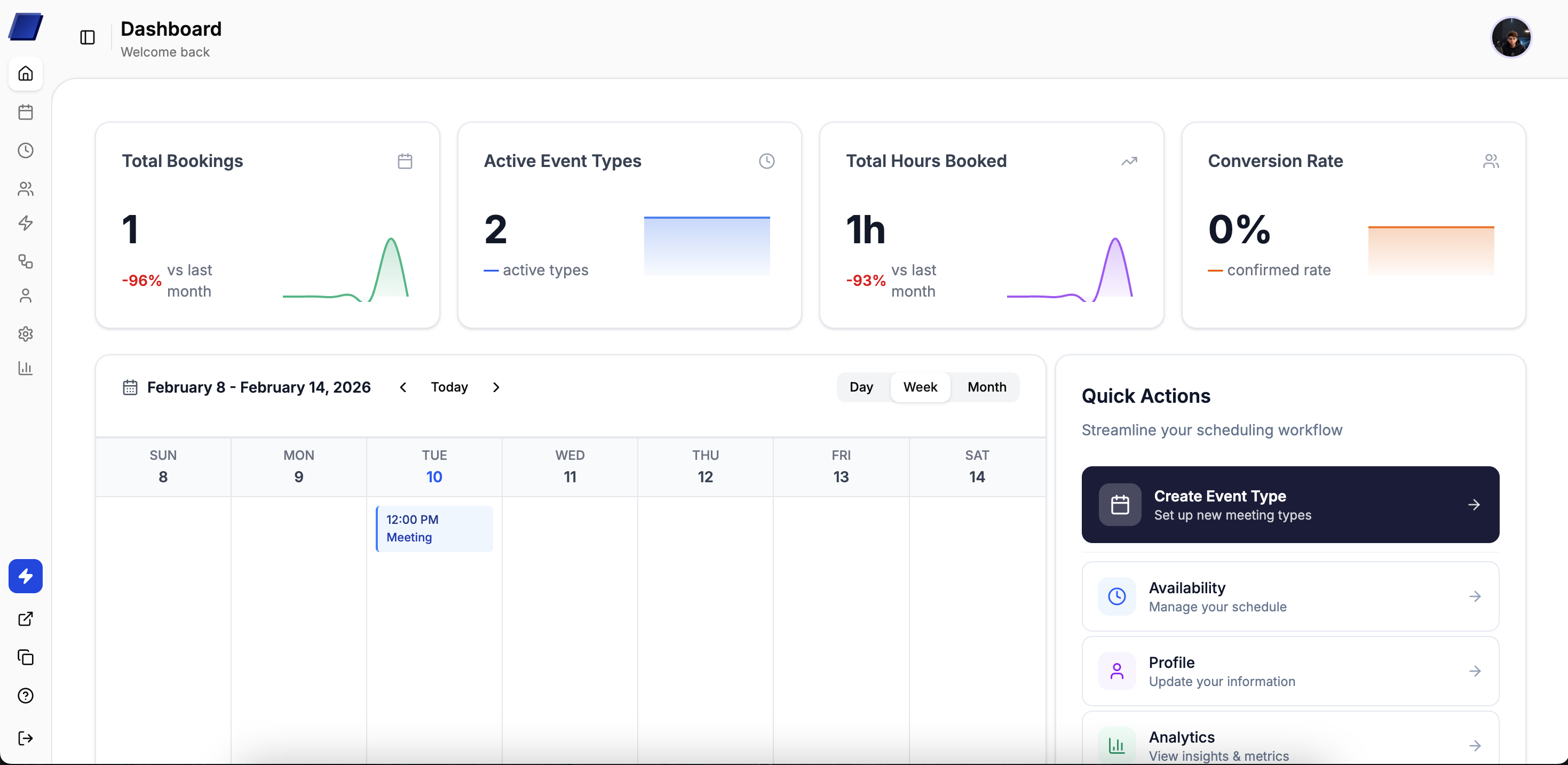
27%
No-shows reduced
“Clean interface, easy access to dashboard, and scheduling is completely hands-off now”
Lena
Recruiting Lead
42%
Faster time-to-hire
6hrs
Saved per recruiter weekly
+250k
Interviews scheduled
“We cut our scheduling time in half. Candidates book themselves and the whole pipeline just works.”
Daniel
HR Manager
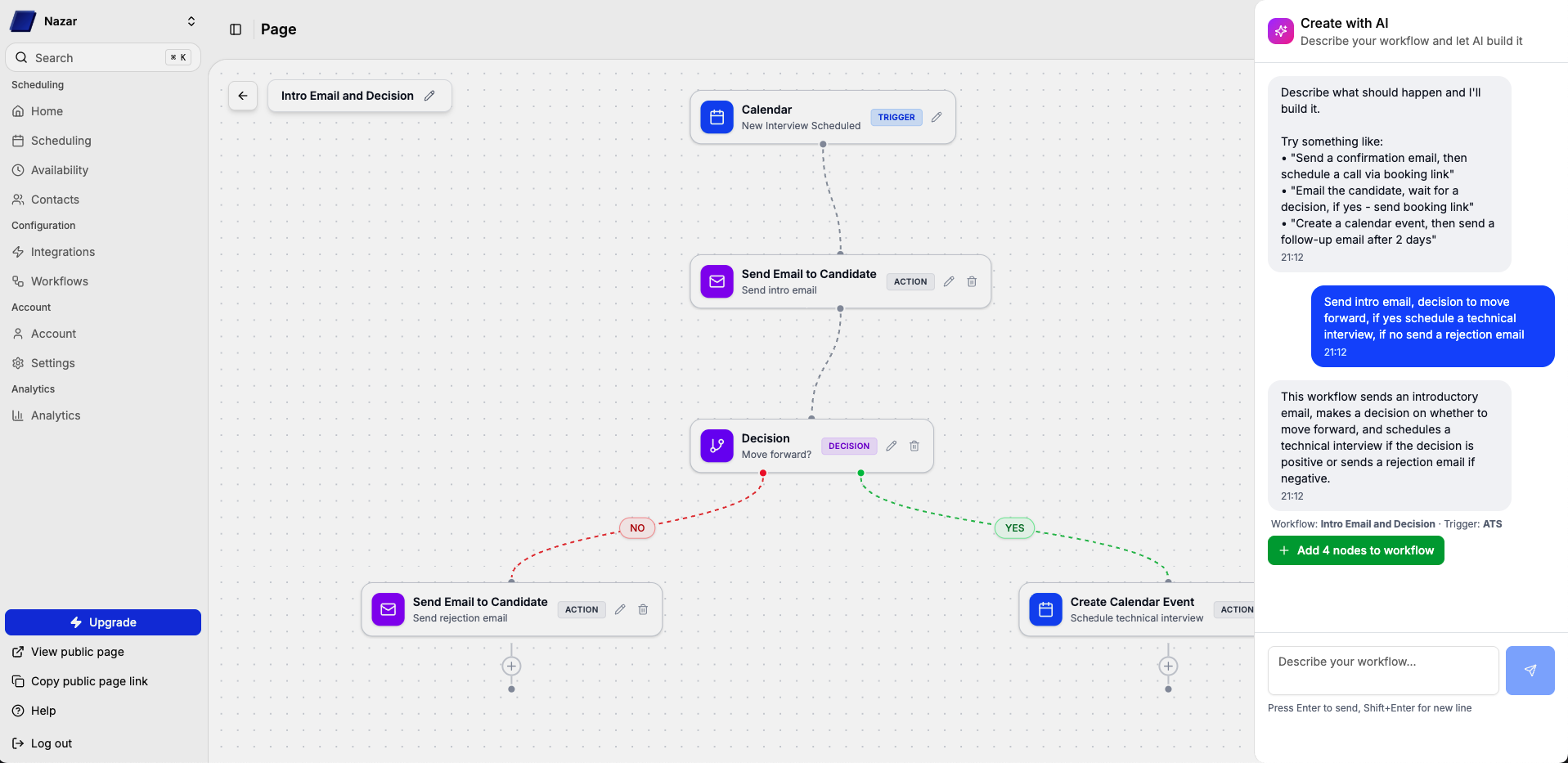
Describe your hiring process in plain English. Our AI builds the full pipeline — stages, interviewers, timing, and automation rules. Or build it yourself with the visual drag-and-drop editor.
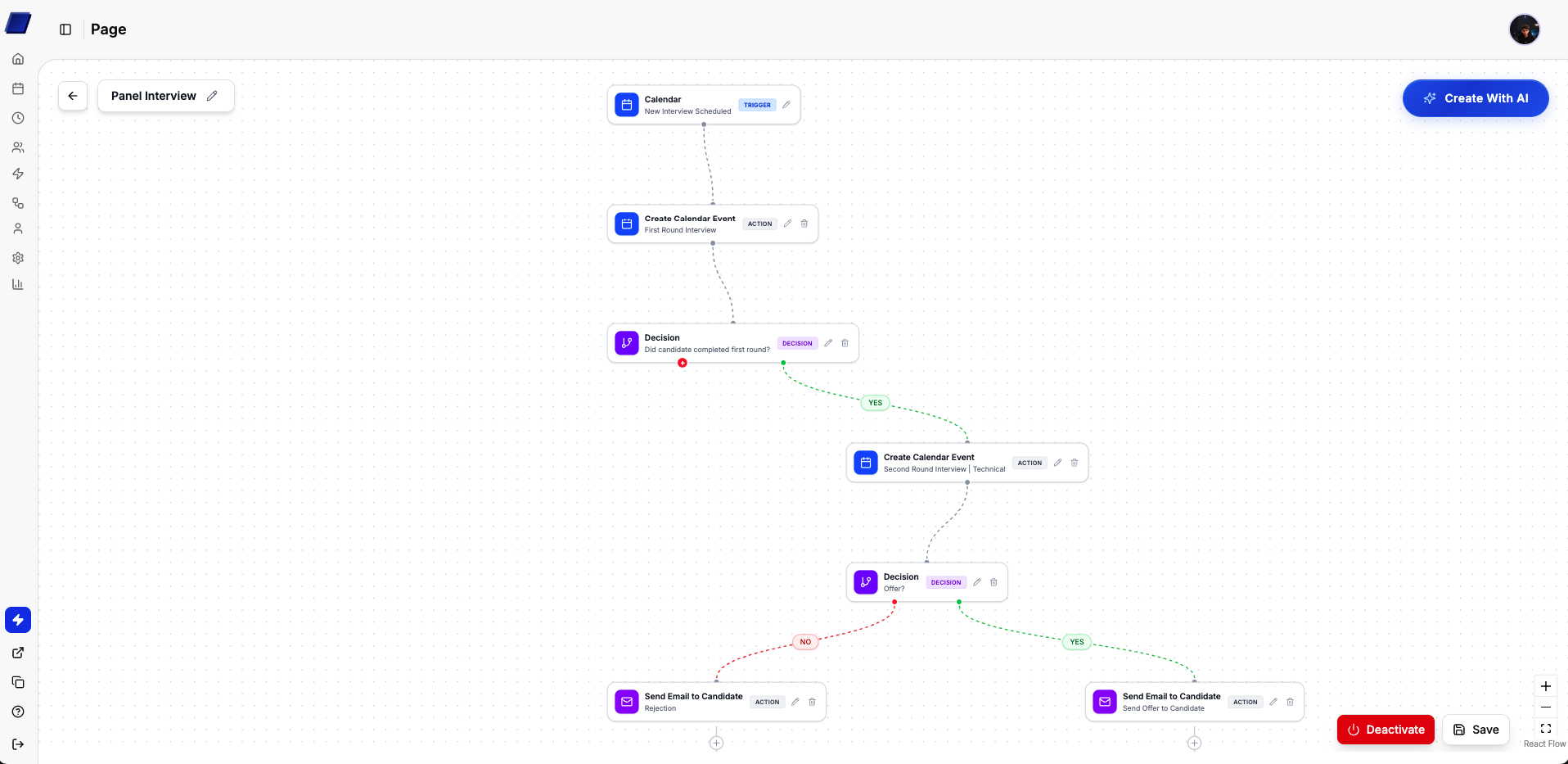
Paste a job description or type what you need: “5-stage pipeline for a senior engineer role with a take-home assignment after the phone screen.” The AI generates the full workflow in seconds.
No implementation project. No training sessions. Just connect and go.
Connect your calendar
Link Google Calendar or Outlook. We pull real-time availability — yours and your team's.
Build the pipeline
Use the AI builder or visual editor to set up interview stages, assign interviewers, and configure timing.
Share the link
Send your booking link to candidates. They self-schedule, and the pipeline handles the rest.
From first phone screen to offer letter - each step schedules itself.
Anna K.
Auto-scheduled
Carlos M.
Auto-scheduled
Yuki T.
Auto-scheduled
James R.
Auto-scheduled
Priya S.
Auto-scheduled
Lena W.
Auto-scheduled
Omar H.
Auto-scheduled
Sophie B.
Auto-scheduled
David L.
Auto-scheduled
“We cut scheduling time from 15 hours a week to under 3. Our coordinators actually source candidates now instead of playing calendar Tetris.”
Emma
Recruiting Coordinator
“Candidates love picking their own time. Our time-to-hire dropped by about 40% in the first quarter.”
James
Head of Talent
“The AI workflow builder saved us days of setup. We described our hiring process and it built the entire pipeline in seconds. Genuinely impressive.”
Priya
Senior Recruiter
“No-shows used to be a huge problem. The automated reminders alone made this worth it — down 30% in the first month.”
Tom
Talent Operations Lead
“We hire across 4 time zones. Simply Set handles all the timezone logic so we don't have to think about it. Game changer for distributed teams.”
Lisa
People Operations Manager
“Finally a scheduling tool that doesn't feel like it was built in 2015. Clean UI, fast setup, and the pipeline view is exactly what we needed.”
Alex
Recruiting Manager
You share a booking link with the candidate. They see available times based on your team's real-time calendar availability and pick a slot. The interview gets confirmed instantly — no emails back and forth.
Yes. With workflows, you define each stage (phone screen, hiring manager, panel, offer) and Simply Set moves candidates through automatically. You can also use the AI builder to generate a pipeline from a job description.
We integrate with Greenhouse, Lever, Workday, and other major applicant tracking systems. Calendar sync works with Google Calendar and Outlook.
Simply Set checks real-time availability across all connected calendars. If someone blocks time or has a conflict, those slots won't be offered to candidates.
Yes. The free plan includes unlimited bookings, event types, and contacts. Paid plans add features like custom branding, advanced reminders, and team scheduling.
Choose the plan that works best for you. All plans include a 14-day free trial.
What's included
What's included
What's included
All plans include 14-day free trial • No credit card required
Ready to get started?
Set up in minutes. Automate the entire interview process. Close candidates before your competitors do.
Start free trial